
Updated August 2026
A gaming headset can improve more than sound quality. It can make dialogue easier to understand, help you notice directional cues and keep team communication clear during competitive matches. The difficult part is choosing the right model for your platform and playing style. Product pages often focus on driver size, surround sound and battery claims, but comfort, microphone quality and connection compatibility can matter just as much.
This guide explains how to compare the best gaming headsets in 2026 for PC, PlayStation 5, Xbox Series X and Xbox Series S. It includes wired and wireless options from Logitech, HyperX, Razer, Turtle Beach and JBL that are available through Tech Treasuries. Every commercial link includes tracking parameters so article visits and product interest can be measured once analytics reporting is connected.
Best gaming headset: the quick recommendations
| Use case | Recommended type | Example |
|---|---|---|
| Premium multi-platform setup | Wireless with base station | Logitech G Astro A50 |
| Long battery life | 2.4GHz plus Bluetooth wireless | HyperX Cloud III S |
| Competitive PC play | Low latency wireless | Razer BlackShark V3 X HyperSpeed |
| Reliable value | Wired 3.5mm or USB | HyperX Cloud III Wired |
| Xbox focused setup | Xbox compatible wireless | Turtle Beach Stealth 600 |
| Simple cross-platform use | Wired headset with detachable mic | JBL Quantum 100M2 |
Wired vs wireless gaming headsets
Wired gaming headsets remain popular because they are simple, dependable and usually require no charging. A 3.5mm headset can connect directly to many controllers, laptops and desktop computers. USB headsets may provide additional software controls or virtual surround features on supported devices. The main disadvantage is cable management. A cable can catch on a desk, limit movement or create wear near the connector.
Wireless gaming headsets provide more freedom. Most performance-focused models use a dedicated 2.4GHz receiver because it can offer lower latency than ordinary Bluetooth. Some models also include Bluetooth for phones and tablets. This dual connection can be useful when you want game audio from a console or PC while remaining connected to a mobile device.
Wireless convenience comes with extra considerations. You need to charge the headset, keep track of its receiver and confirm that the wireless system supports your exact console. A headset marketed for PC and PlayStation may not support Xbox wirelessly. A headset designed for Xbox may use a different receiver or connection method. Never assume that a product works across every platform simply because it includes Bluetooth.
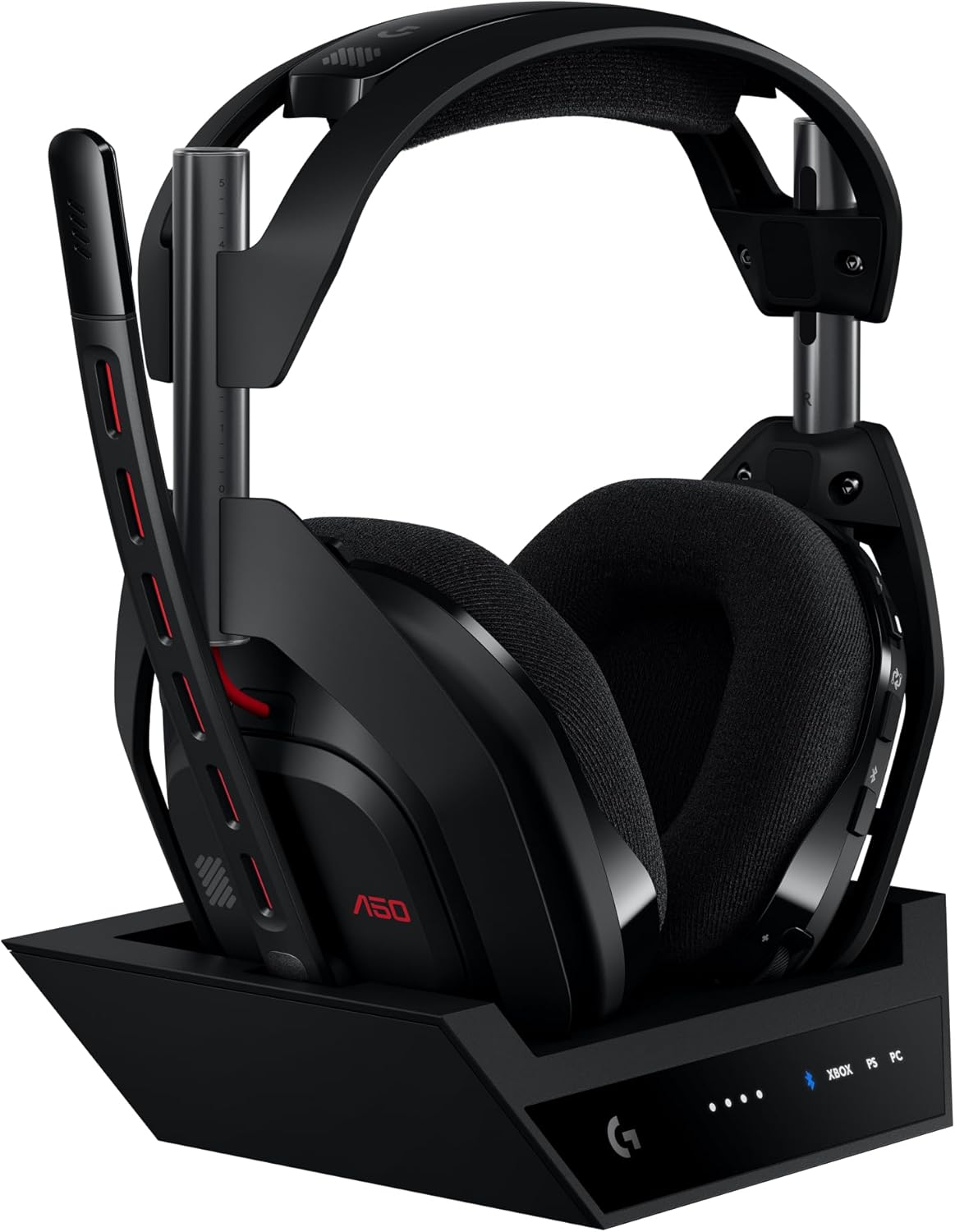
Best premium multi-platform option: Logitech G Astro A50
The Logitech G Astro A50 with base station is designed for shoppers who use several gaming platforms and want a desk-based wireless setup. Its base station provides a dedicated place for charging and connection management. The listing identifies support for PS5, Xbox and PC through its multi-platform design.
This type of headset is best for a player with a permanent gaming area. The base station is less convenient for travel, but it can simplify switching between systems at home. It also reduces the chance of forgetting to plug in a charging cable after a session.
A premium headset is only worth the cost when its platform switching and comfort features solve a real problem. Someone who owns one console and plays occasionally may get better value from a simpler model. A streamer, content creator or multi-platform household can benefit more from the flexibility.
Best for extended wireless use: HyperX Cloud III S
The HyperX Cloud III S Wireless combines 2.4GHz wireless and Bluetooth. The product listing emphasizes long battery expectations and a detachable microphone. It suits players who dislike charging equipment frequently and want one headset for gaming and mobile listening.
Battery figures should be treated as test-condition estimates rather than guarantees. Volume, connection type, lighting and usage patterns can change real performance. Even so, a model designed around extended battery life can reduce charging interruptions compared with a headset that needs power after every few sessions.
The detachable microphone is useful when switching from gaming to music. Check whether the microphone is securely stored when removed because small accessories are easy to misplace.
Best for competitive PC gaming: Razer BlackShark V3 X HyperSpeed
The Razer BlackShark V3 X HyperSpeed is positioned toward PC gaming with additional support listed for Mac, PS5, Nintendo Switch and smartphones. Its dedicated wireless connection is relevant to players who care about low latency and clean desk setups.
Competitive players should prioritize microphone intelligibility, stable wireless performance and comfort over exaggerated bass. Strong bass can make games feel dramatic, but too much low-frequency emphasis can hide footsteps and dialogue. Equalizer controls can help, but the headset should sound balanced before software adjustments.
A cardioid microphone is designed to focus more on sound from the front and reduce some background pickup. It cannot remove every keyboard, fan or room noise. Microphone placement still matters. Position it near the corner of the mouth rather than directly in front of airflow.
Best Xbox focused wireless option: Turtle Beach Stealth 600
The Turtle Beach Stealth 600 listing focuses on Xbox Series X, Xbox Series S and Xbox One while also naming PC, PlayStation and mobile compatibility. It is a practical option for an Xbox owner who wants wireless freedom and Bluetooth support.
Multi-platform wording needs careful reading. A headset may support one platform through its low-latency wireless receiver and another through Bluetooth, USB or a cable. The available features can differ by connection. Confirm the intended connection method before ordering, particularly for console voice chat.
Best wired value: HyperX Cloud III
The HyperX Cloud III Wired includes several connection options in its listing, including USB-C, USB-A and 3.5mm. That flexibility is useful for households with multiple devices and for buyers who prefer not to manage batteries.
A wired headset is often the safest value choice because more of the price can go toward the earcups, microphone and physical construction rather than wireless hardware. It is also easier to troubleshoot. When sound stops, the cause is usually the port, cable, mute control or system setting rather than pairing or receiver issues.
Best simple cross-platform headset: JBL Quantum 100M2
The JBL Quantum 100M2 is a straightforward wired option with a detachable microphone and memory-foam ear cushions. It can suit casual gaming, online classes and general voice communication when the connected device supports the headset plug.
“Compatible with all platforms” should still be understood in the context of available ports and supported audio features. A 3.5mm connection may carry stereo sound and microphone input, while platform-specific surround processing can vary.
How to evaluate gaming headset comfort
Comfort is difficult to judge from a specification table. Head shape, ear size, glasses and room temperature all influence the experience. Look at clamping force, headband padding, earcup depth and material. Fabric pads can feel cooler, while leather-like pads may isolate sound more effectively but retain more heat.
Weight alone does not determine comfort. A heavier headset with good weight distribution can feel better than a lighter headset that creates pressure at one point. Adjustable headbands and replaceable cushions improve long-term usability.
For long sessions, take regular breaks regardless of the headset. High volume and continuous pressure can cause fatigue. A comfortable headset should disappear into the experience rather than constantly reminding you that it is being worn.
Microphone quality and team communication
A gaming microphone does not need studio-level richness. It needs to make speech understandable without excessive background noise or harshness. Look for a boom that can be positioned consistently, a reliable mute control and compatibility with your voice-chat platform.
Noise cancelling microphone wording usually refers to reducing background pickup through microphone design or processing. It is different from active noise cancellation in the earcups. Read the listing carefully so the two are not confused.
Room setup matters. Mechanical keyboards, desk fans and bare walls can affect voice quality. Moving a microphone closer to the mouth allows you to lower its input gain, which can reduce background noise.
Stereo, surround sound and spatial audio
Stereo headsets can provide accurate positional cues when a game has good audio design. Virtual surround and spatial audio use processing to create a wider sense of direction. Some players prefer it for cinematic games, while others use stereo for competitive play because it feels more precise.
Surround branding does not guarantee better performance. Support can depend on PC software, console settings or a paid platform feature. Check which functions are available on your device rather than assuming every advertised feature works everywhere.
Compatibility checklist before ordering
- Confirm the exact platform and model you use.
- Check whether the headset connects through 3.5mm, USB, Bluetooth or a dedicated receiver.
- Confirm microphone support for game chat on that platform.
- Check whether surround or equalizer software is available on your operating system.
- Review battery expectations for wireless models.
- Read the included accessories list for adapters, cables and receivers.
- Check the product condition and return policy.
Which gaming headset should you buy?
Choose the Astro A50 for a premium permanent setup across several platforms.
Choose the HyperX Cloud III S for long wireless use and dual connection flexibility.
Choose the Razer BlackShark V3 X HyperSpeed for competitive PC play and low-latency wireless convenience.
Choose the Turtle Beach Stealth 600 for an Xbox-centered wireless setup.
Choose the HyperX Cloud III Wired for reliable value and broad connection options.
Choose the JBL Quantum 100M2 for simple wired gaming and voice chat.
Compare gaming headsets
Review platform compatibility, connection type and included accessories on each product page before checkout.
Frequently asked questions
Is wired or wireless better for gaming?
Wired headsets are simple and require no charging. Wireless headsets provide freedom of movement. A good low-latency wireless model can perform very well, but exact platform support must be confirmed.
Can a PS5 headset work on Xbox?
Sometimes through a compatible cable, but wireless and microphone functions can differ. Check the exact headset and connection method before buying.
Is Bluetooth good for competitive gaming?
Ordinary Bluetooth can introduce more delay than a dedicated gaming receiver. Competitive players often prefer 2.4GHz wireless or a wired connection.
Do 50mm drivers make a headset better?
Driver size alone does not determine sound quality. Tuning, enclosure design and software processing are equally important.
How much should I spend on a gaming headset?
Spend enough to get the comfort, microphone and platform support you need. Premium features are worthwhile only when you will use them regularly.
Related buying guides
Read our PS5 vs Xbox Series X comparison, TV size guide and Mini LED vs QLED vs Crystal UHD guide.
Final verdict
The best gaming headset is the one that works correctly with your platform, remains comfortable for your normal session length and keeps your voice clear. Wired models provide dependable value. Wireless models add convenience and mobility. Choose the connection and feature set that solves your real needs rather than buying the longest specification list.
Product questions can be sent to info@techtreasuries.com. For help with an existing order, contact orders@techtreasuries.com.
Share:
PS5 vs Xbox Series X in 2026: Which Gaming Console Should You Buy?
What Size TV Should You Buy in 2026? 43, 55, 65, 85 and 98 Inch Guide